SwitchUp SwitchUp Ranked Best Coding Bootcamps 2025

Visualizing database schema

Written in Ruby on Rails
updated on 10 Jan 2023

As you create and run migrations onto your database, different tables are created, and some tables might be connected to others via belongs_to and has_many.

As a beginner, it might be hard to keep track of the current state of your database.

One way to understand the current state of your database is to look at db/schema.rb, like this following example where we have the relationship of an author has many books:
language=>ruby ActiveRecord::Schema.define(version: 20161214031618) do create_table "authors", force: :cascade do |t| t.string "name" t.string "location" t.string "birth_year" t.datetime "created_at", null: false t.datetime "updated_at", null: false end create_table "books", force: :cascade do |t| t.string "name" t.string "publishing_year" t.integer "num_of_pages" t.datetime "created_at", null: false t.datetime "updated_at", null: false t.integer "author_id" end end
You can see that books and authors are related via author_id.

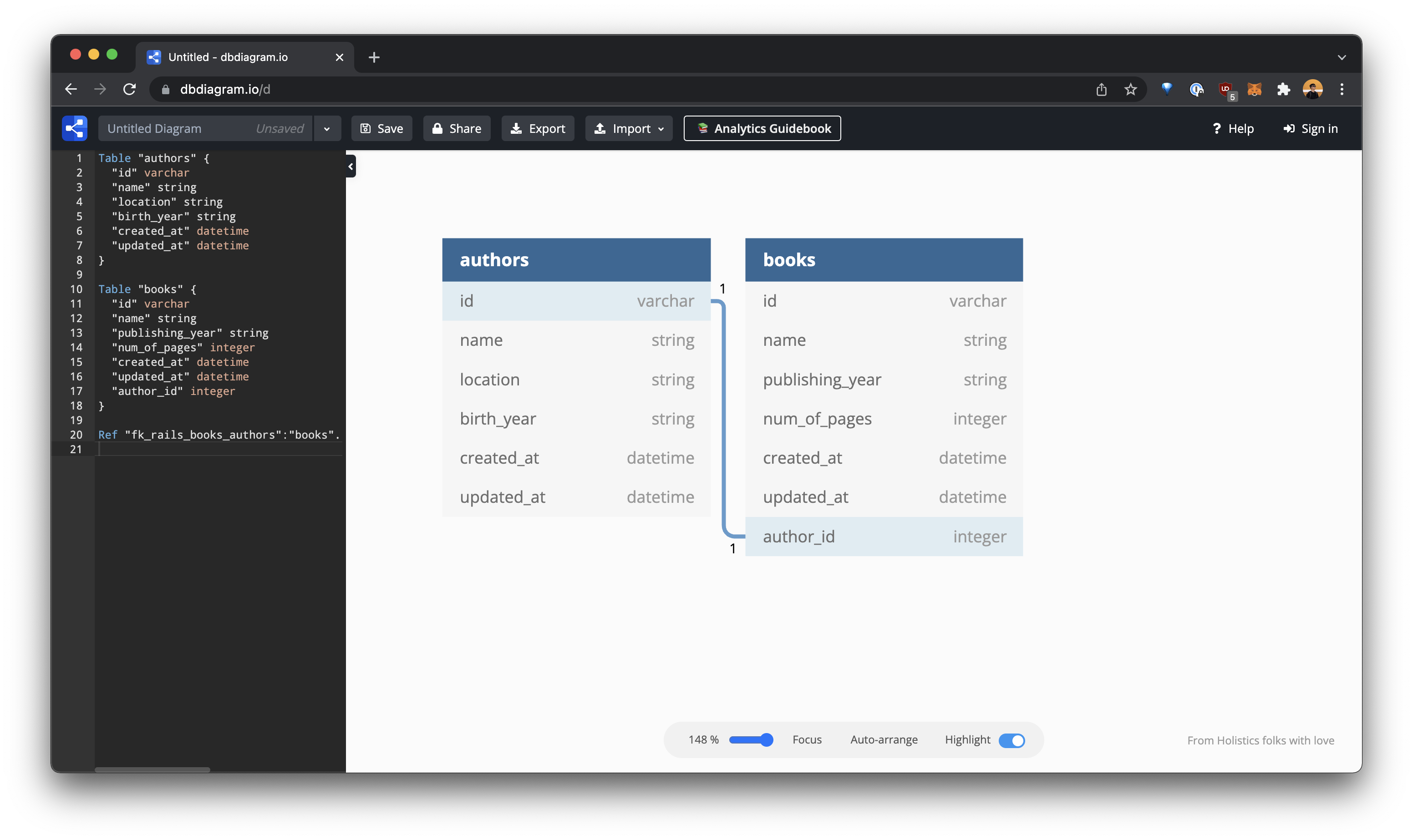
Now, there's a tool you can use to better visualize this database schema: dbdiagram.io.

You can go to dbdiagram.io, and click on "Create your diagram":
  1. Click Import → From Rails (schema.rb)
  2. Paste (or upload) your schema.rb
  3. Done!


For future projects, you can use this tool to better visualize your database schema, especially when it gets complex.

Trusted by

Students and instructors from world-class organizations

Join the upcoming Cohort #112

Enroll for April 6th, 2026